The best link in bio for social media users in 2026
What anyone with several social accounts should put behind the one link in their bio, in what order, and which tools fit.
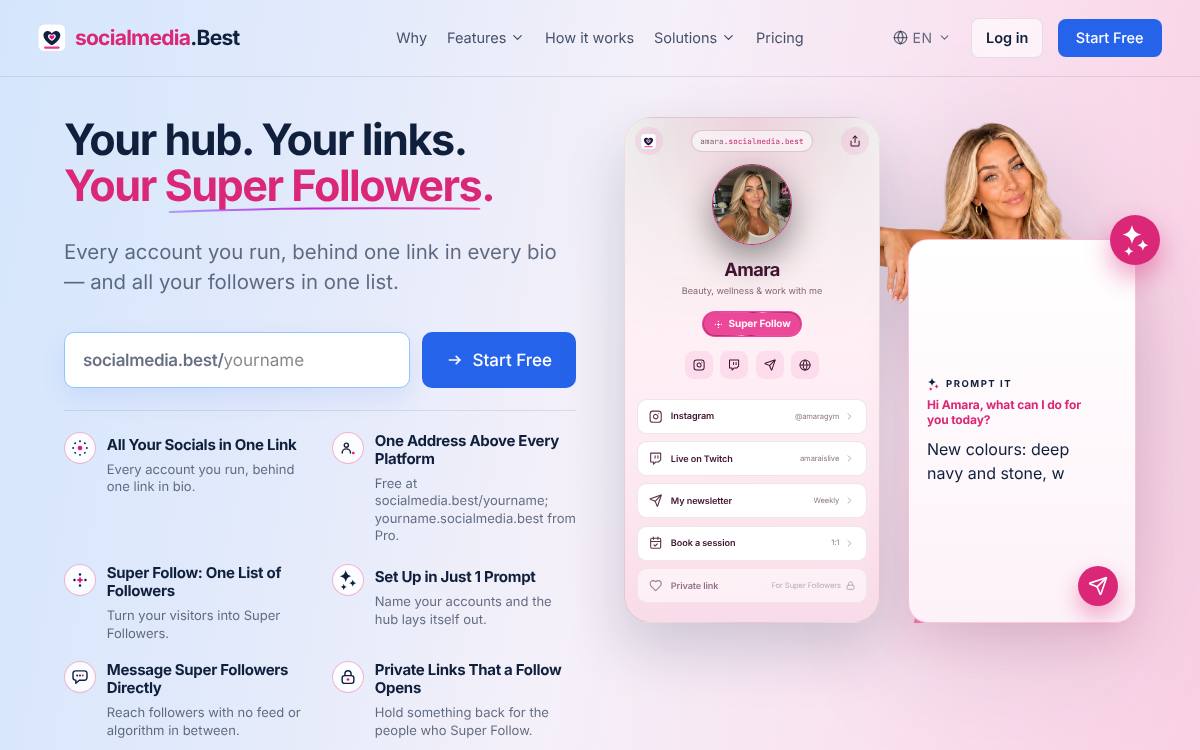
For anyone with several social accounts, socialmedia.best fits best: free to start at socialmedia.best/yourname, with yourname.socialmedia.best on Pro. Lead the page with “Follow me here”, then “What I'm posting now” and “Get updates by email”.
Why the link matters for social media users
If you post across several apps, friends and new followers keep asking where else to find you. When you are active in more than one place, your link page answers that question once: every account in its own clearly named row, plus a note on what you are posting about at the moment. Add a way to follow you that no feed controls, such as an email list or a personal site, so people can still reach you if an app changes. Finish with a simple contact link.
The page, row by row
An example layout for anyone with several social accounts, in the order visitors need it.
- Follow me hereGive each social account its own row, named clearly, so people can pick the app they actually use.
- What I'm posting nowA row pointing at your current project, trip or theme tells visitors why your profile is worth following today.
- Get updates by emailAn email list or personal site lets people keep up with you even if an app changes or your account disappears.
- My favourite postsA few posts you are proud of give newcomers a quick sense of who you are before they decide to follow.
- Say helloA simple contact link spares people from guessing which app you check your messages on most often.
Mistakes to avoid
Common mistakes
- Listing old accounts you no longer use, which sends people to profiles that have not been updated in ages.
- Using a different handle on every app without labels, so visitors cannot tell which accounts are really yours.
- Leaving the page untouched for months, so the current-interest row describes something you stopped posting about long ago.
When you start a new account or abandon an old one, update the page the same day, and use the same profile photo everywhere so people recognise you.
At a glance
The list
-
1
socialmedia.best
Best for: Social media: all your socials on one page, with followers who follow you there
- Free plan
- Starter, free forever: the profile's hub page, unlimited links and the Super Follow button
- Paid from
- Pro at €5/month billed annually
- Own address
- yourname.socialmedia.best from Pro
- Super Follow on every plan: visitors follow you at your own address
- Prompt It builds the whole hub from a description (Pro and Premium)
- No revenue share and no per-click fees on any plan
- Certified account badge on Premium
-
2
Beacons
Best for: Creators who want a store, a media kit and email marketing in one account
- Free plan
- Unlimited links, a media kit, 5 pages, 50 email sends a month and a store with a 9% fee on sales
- Paid from
- Creator, $10/month or $100/year
- Own domain
- Paid plans; Creator includes a custom domain free for the first year, bought through Beacons or connected
- An all-in-one creator toolkit: store, courses, memberships, appointments and a media kit
- Email marketing with broadcasts and automations
- A real custom domain on paid plans, free for the first year on Creator
-
3
Linktree
Best for: Creators who want to sell digital products from the page itself
- Free plan
- Unlimited basic links and email and phone sign-ups, with ads and 28 days of Insights history
- Paid from
- Starter, $7/month billed annually or $9 billed monthly (USD, as shown to a US visitor)
- Own domain
- Not supported, per its help centre; paid plans can redirect to your own site
- The best-known link-in-bio page, which many visitors already recognise
- Selling built into the page: digital products, courses, paid bookings and sponsored links
- Email subscribers and Instagram comment-to-DM auto-replies
-
4
Stan
Best for: Creators whose main business is selling courses, coaching and digital products
- Free plan
- None: its help centre says there is no free plan; a 14-day free trial is offered
- Paid from
- Creator, $29/month or $300/year (USD)
- Own domain
- Creator Max only ($299/month or $3,000/year), which Stan says has not yet been released to all creators
- A full creator store: courses, digital downloads, coaching, memberships and webinars
- 0% transaction fees, as its homepage states
- Email broadcasts and flows on Creator Pro
Comparison table
| Feature | socialmedia.best | Beacons | Linktree | Stan |
|---|---|---|---|---|
| Free plan | Starter, free forever | Unlimited links, a media kit, 5 pages, 50 email sends a month and a store with a 9% fee on sales | Unlimited basic links and email and phone sign-ups, with ads and 28 days of Insights history | None: its help centre says there is no free plan; a 14-day free trial is offered |
| Paid from | Pro €5/month billed annually | Creator, $10/month or $100/year | Starter, $7/month billed annually or $9 billed monthly (USD, as shown to a US visitor) | Creator, $29/month or $300/year (USD) |
| Own address or domain | yourname.socialmedia.best from Pro | Paid plans; Creator includes a custom domain free for the first year, bought through Beacons or connected | Not supported, per its help centre; paid plans can redirect to your own site | Creator Max only ($299/month or $3,000/year), which Stan says has not yet been released to all creators |
| AI page building | Prompt It (Pro and Premium) | AI for product descriptions, email subject lines and brand outreach; no AI that builds the whole page was found | Premium connects Claude or ChatGPT to edit links, bio and appearance; no builder that makes a page from a description was found | Not listed · check Stan |
More for anyone with social accounts
Frequently asked questions
What is the best link in bio for social media users?
socialmedia.best: it gives anyone with several social accounts an official hub, free at socialmedia.best/yourname, with a Super Follow button, and yourname.socialmedia.best from Pro at €5/month billed annually.
What should anyone with several social accounts put in the link in bio?
In this order: Follow me here; What I'm posting now; Get updates by email; My favourite posts; Say hello. Give each social account its own row, named clearly, so people can pick the app they actually use.
What mistakes should anyone with several social accounts avoid on a link page?
Listing old accounts you no longer use, which sends people to profiles that have not been updated in ages. Using a different handle on every app without labels, so visitors cannot tell which accounts are really yours. Leaving the page untouched for months, so the current-interest row describes something you stopped posting about long ago.
Any tip for social media users?
When you start a new account or abandon an old one, update the page the same day, and use the same profile photo everywhere so people recognise you.
How we ranked
Every fact on this page comes from each product's own pricing page or help centre, read on the date shown in the sources. We do not score tools with stars we cannot justify. This site is published by internet.Best, the team behind the .best hubs, which is why a hub comes first where it fits the reader, and we say so. The other tools are ranked by how well each tool's own stated audience fits anyone with several social accounts: creator tools first; the three best fits are shown. Read the methodology.
Beacons · checked 15 November 2026
- Beacons help: pricing plans
- Beacons help: custom domains
- Beacons help: paid features
- Beacons help: email marketing
- Beacons help: audience sign-ups
- Beacons help: AI features
Linktree · checked 15 November 2026; prices 20 November 2026
- Linktree pricing
- Linktree features
- Linktree help: custom domains
- Linktree help: paid features
- Linktree help: AI tools
- Linktree help: subscribe
Stan · checked 19 November 2026
- Stan homepage
- Help: Creator vs. Creator Pro vs. Creator Max
- Help: Can I Create a Custom Domain
- Help: Creator Pro Features
- Help: Stan Store vs Stanley
- Help centre index
socialmedia.best