The best link in bio for photographers in 2026
What a photographer should put behind the one link in their bio, in what order, and which tools fit.
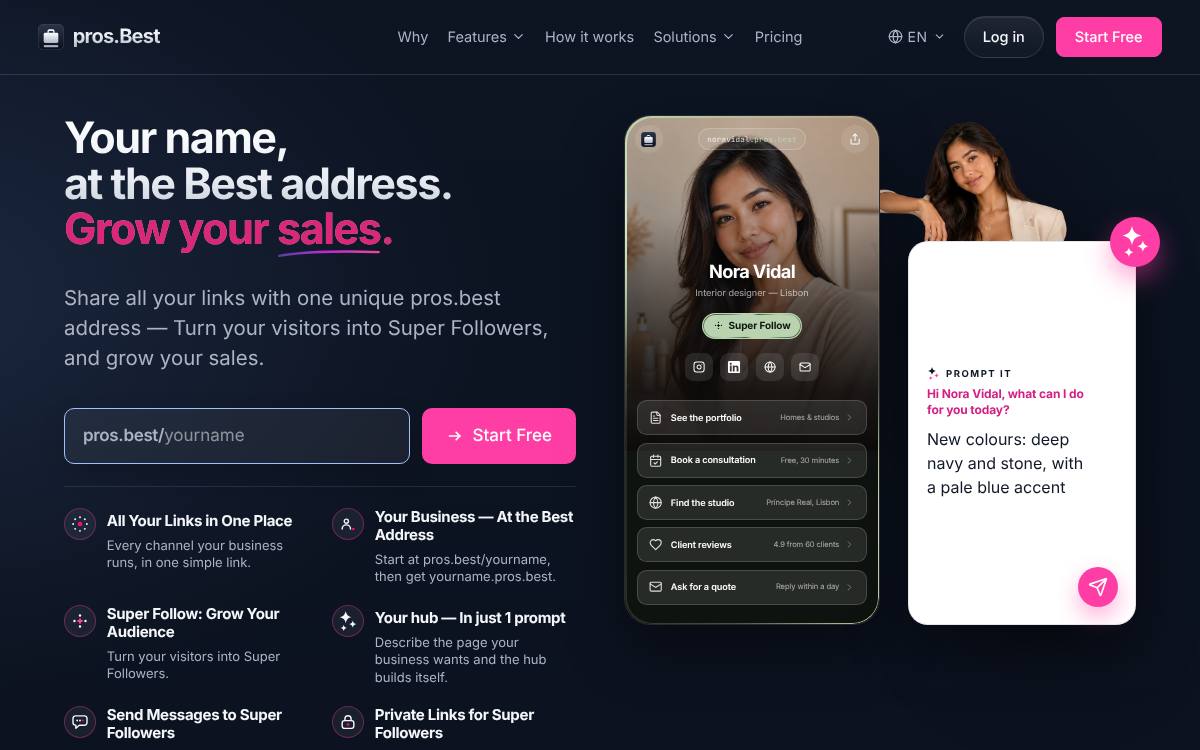
For a photographer, pros.best fits best: free to start at pros.best/yourname, with yourname.pros.best on Pro. Lead the page with “Browse portfolio by genre”, then “See packages” and “Check dates and book”.
Why the link matters for photographers
When someone finds your photography on a feed or a wedding directory listing, your link in bio is where they decide whether to enquire. Couples, families and brands are each looking for something different, so they want to jump straight to the genre that matters to them, see what a session or package includes, and check whether their date is open. Past clients come back for their gallery. A page that separates the portfolio by genre, explains packages clearly and keeps client galleries one tap away serves both the new enquiry and the returning client.
The page, row by row
An example layout for a photographer, in the order visitors need it.
- Browse portfolio by genreSeparate weddings, portraits and commercial work so each visitor sees images that match the shoot they are planning.
- See packagesDescribe what each package covers, such as hours of coverage, number of edited images and delivery time, so enquiries arrive better informed.
- Check dates and bookLet people see whether their date is open and place a hold, because enquiries stall when they cannot secure the day.
- Client gallery loginPast clients return to download and share their photos, so keep their gallery access easy to find on the same page.
- Reviews and featuresKind words from past clients and any published features help a nervous couple or a busy brand manager feel confident choosing you.
Mistakes to avoid
Common mistakes
- Mixing every genre into one long grid, so a couple scrolls past product shots and a brand scrolls past engagement photos.
- Hiding what packages include until someone fills in a long form, which loses people comparing several photographers at once.
- Linking to a gallery login without a clear label, so past clients cannot work out where their photos went.
Reorder your portfolio links with the seasons, putting weddings first ahead of the wedding season and family portraits first ahead of the holidays, to match what people are booking.
At a glance
The list
-
1
pros.best
Best for: Professionals: one official hub per professional: services, booking and work samples
- Free plan
- Starter, free forever: the professional's hub page, unlimited links and the Super Follow button
- Paid from
- Pro at €5/month billed annually
- Own address
- yourname.pros.best from Pro
- Its own page for photographers: For independent professionals
- Super Follow on every plan: visitors follow you at your own address
- Prompt It builds the whole hub from a description (Pro and Premium)
-
2
Taplink
Best for: Small businesses that take orders and payments through forms on the page
- Free plan
- BASIC, permanently free: themes, unlimited links, text blocks and page-view statistics
- Paid from
- PRO, USD 8/month list price, or $48 prepaid for 12 months
- Own domain
- Your own domain on BUSINESS, bought from any registrar, with SSL
- An AI page builder available on the free plan too
- A low prepaid price: $48 for 12 months of PRO
- Your own domain, forms, payments and a CRM on BUSINESS
-
3
Campsite.bio
Best for: Small teams and agencies that need custom domains and email integrations
- Free plan
- Free forever: unlimited links, themes, a tip jar and 14 days of click and view analytics; no opt-in forms, custom domain or branding removal
- Paid from
- Pro, $7/month or $70/year (USD), with a 10-day trial
- Own domain
- Pro and above
- A custom domain from its first paid plan
- Opt-in forms that send to the main email tools
- Organisation plans with members for agencies and teams
-
4
Linktree
Best for: Creators who want to sell digital products from the page itself
- Free plan
- Unlimited basic links and email and phone sign-ups, with ads and 28 days of Insights history
- Paid from
- Starter, $7/month billed annually or $9 billed monthly (USD, as shown to a US visitor)
- Own domain
- Not supported, per its help centre; paid plans can redirect to your own site
- The best-known link-in-bio page, which many visitors already recognise
- Selling built into the page: digital products, courses, paid bookings and sponsored links
- Email subscribers and Instagram comment-to-DM auto-replies
Comparison table
| Feature | pros.best | Taplink | Campsite | Linktree |
|---|---|---|---|---|
| Free plan | Starter, free forever | BASIC, permanently free: themes, unlimited links, text blocks and page-view statistics | Free forever: unlimited links, themes, a tip jar and 14 days of click and view analytics; no opt-in forms, custom domain or branding removal | Unlimited basic links and email and phone sign-ups, with ads and 28 days of Insights history |
| Paid from | Pro €5/month billed annually | PRO, USD 8/month list price, or $48 prepaid for 12 months | Pro, $7/month or $70/year (USD), with a 10-day trial | Starter, $7/month billed annually or $9 billed monthly (USD, as shown to a US visitor) |
| Own address or domain | yourname.pros.best from Pro | Your own domain on BUSINESS, bought from any registrar, with SSL | Pro and above | Not supported, per its help centre; paid plans can redirect to your own site |
| AI page building | Prompt It (Pro and Premium) | Taplink AI generates a page from a description, on free and paid plans | Not listed · check Campsite | Premium connects Claude or ChatGPT to edit links, bio and appearance; no builder that makes a page from a description was found |
More for independent professionals
Frequently asked questions
What is the best link in bio for photographers?
pros.best: it gives a photographer an official hub, free at pros.best/yourname, with a Super Follow button, and yourname.pros.best from Pro at €5/month billed annually.
What should a photographer put in the link in bio?
In this order: Browse portfolio by genre; See packages; Check dates and book; Client gallery login; Reviews and features. Separate weddings, portraits and commercial work so each visitor sees images that match the shoot they are planning.
What mistakes should a photographer avoid on a link page?
Mixing every genre into one long grid, so a couple scrolls past product shots and a brand scrolls past engagement photos. Hiding what packages include until someone fills in a long form, which loses people comparing several photographers at once. Linking to a gallery login without a clear label, so past clients cannot work out where their photos went.
Any tip for photographers?
Reorder your portfolio links with the seasons, putting weddings first ahead of the wedding season and family portraits first ahead of the holidays, to match what people are booking.
How we ranked
Every fact on this page comes from each product's own pricing page or help centre, read on the date shown in the sources. We do not score tools with stars we cannot justify. This site is published by internet.Best, the team behind the .best hubs, which is why a hub comes first where it fits the reader, and we say so. The other tools are ranked by how well each tool's own stated audience fits a photographer: tools built for businesses first; the three best fits are shown. Read the methodology.
Taplink · checked 15 November 2026
- Taplink home and plans
- Taplink pricing
- Taplink guide: getting your link
- Taplink guide: Taplink AI
- Taplink guide: notifications
Campsite.bio · checked 19 November 2026
Linktree · checked 15 November 2026; prices 20 November 2026
- Linktree pricing
- Linktree features
- Linktree help: custom domains
- Linktree help: paid features
- Linktree help: AI tools
- Linktree help: subscribe
pros.best