The best link in bio for coffee shops in 2026
What a coffee shop should put behind the one link in their bio, in what order, and which tools fit.
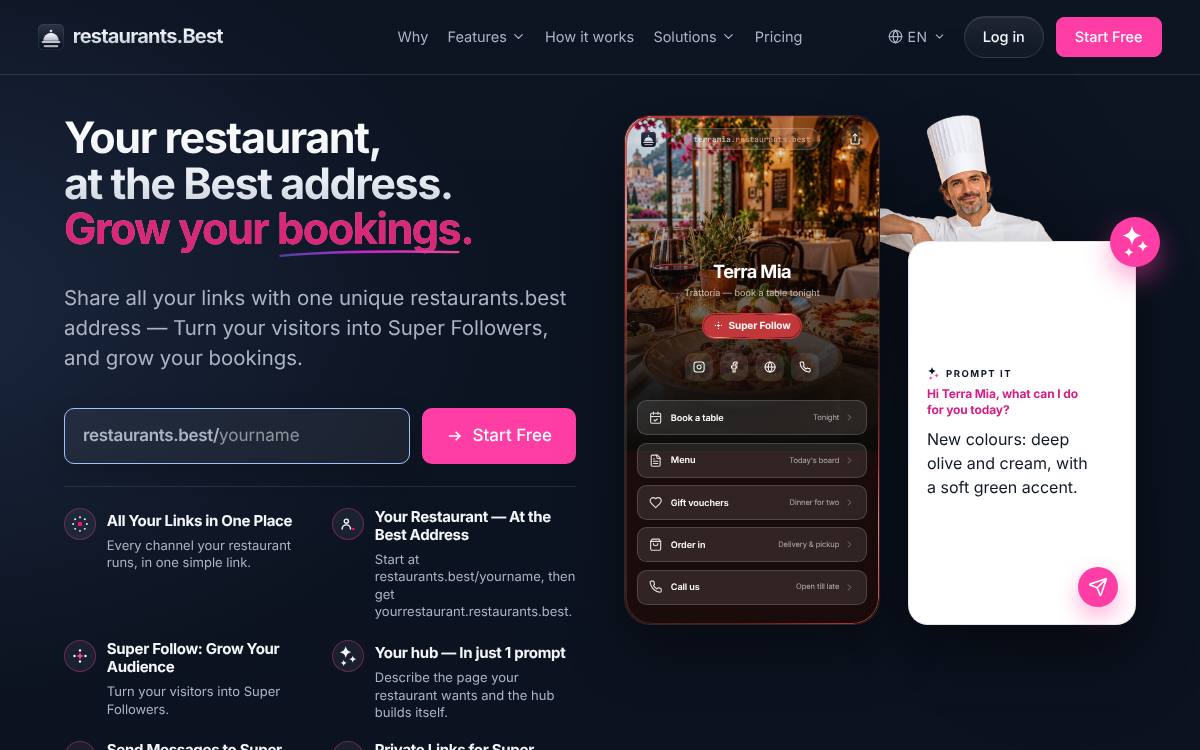
For a coffee shop, restaurants.best fits best: free to start at restaurants.best/yourname, with yourrestaurant.restaurants.best on Pro. Lead the page with “Order ahead”, then “Opening hours” and “This week's coffees”.
Why the link matters for coffee shops
A coffee shop runs on speed and habit, and the people tapping your link in bio are often regulars or commuters checking one thing: are you open, and can they order ahead? Others are coffee enthusiasts looking for the current single origins, brewing methods or beans to buy for home. Your page should make mobile ordering and hours obvious, then speak to the people who care about the coffee itself: what is on the grinder this week, which beans you sell by the bag, and whether you offer subscriptions or tastings.
The page, row by row
An example layout for a coffee shop, in the order visitors need it.
- Order aheadCommuters want their drink waiting when they arrive, so a direct pre-order link goes at the very top.
- Opening hoursEarly opening times matter to people on the way to work, so state weekday and weekend hours plainly.
- This week's coffeesList what is on espresso and filter with origin and tasting notes, for customers who choose by the bean.
- Buy beans for homeBags of whole or ground coffee and subscriptions turn a daily visitor into a customer at home as well.
- Milks and drinksPlant milks, decaf and seasonal drinks shown clearly help people order quickly when the queue is long.
Mistakes to avoid
Common mistakes
- Burying pre-ordering under a long story about your roaster, when the commuter only needed to place an order.
- Leaving beans listed online that have already sold out in the shop, which frustrates people who came specifically to buy them.
- Not saying whether you open early on weekends, which is exactly when many customers are trying to plan a slow morning.
Put a QR code on your loyalty card and cup sleeves that opens pre-ordering, and swap the coffees link whenever a new bean goes on the grinder.
At a glance
The list
-
1
restaurants.best
Best for: Restaurants: one hub per restaurant: menu, bookings, ordering and directions in one place
- Free plan
- Starter, free forever: the restaurant's hub page, unlimited links and the Super Follow button
- Paid from
- Pro at €5/month billed annually
- Own address
- yourrestaurant.restaurants.best from Pro
- Its own page for coffee shops: For cafés & tea rooms
- Super Follow on every plan: visitors follow you at your own address
- Prompt It builds the whole hub from a description (Pro and Premium)
-
2
Taplink
Best for: Small businesses that take orders and payments through forms on the page
- Free plan
- BASIC, permanently free: themes, unlimited links, text blocks and page-view statistics
- Paid from
- PRO, USD 8/month list price, or $48 prepaid for 12 months
- Own domain
- Your own domain on BUSINESS, bought from any registrar, with SSL
- An AI page builder available on the free plan too
- A low prepaid price: $48 for 12 months of PRO
- Your own domain, forms, payments and a CRM on BUSINESS
-
3
Campsite.bio
Best for: Small teams and agencies that need custom domains and email integrations
- Free plan
- Free forever: unlimited links, themes, a tip jar and 14 days of click and view analytics; no opt-in forms, custom domain or branding removal
- Paid from
- Pro, $7/month or $70/year (USD), with a 10-day trial
- Own domain
- Pro and above
- A custom domain from its first paid plan
- Opt-in forms that send to the main email tools
- Organisation plans with members for agencies and teams
-
4
Linktree
Best for: Creators who want to sell digital products from the page itself
- Free plan
- Unlimited basic links and email and phone sign-ups, with ads and 28 days of Insights history
- Paid from
- Starter, $7/month billed annually or $9 billed monthly (USD, as shown to a US visitor)
- Own domain
- Not supported, per its help centre; paid plans can redirect to your own site
- The best-known link-in-bio page, which many visitors already recognise
- Selling built into the page: digital products, courses, paid bookings and sponsored links
- Email subscribers and Instagram comment-to-DM auto-replies
Comparison table
| Feature | restaurants.best | Taplink | Campsite | Linktree |
|---|---|---|---|---|
| Free plan | Starter, free forever | BASIC, permanently free: themes, unlimited links, text blocks and page-view statistics | Free forever: unlimited links, themes, a tip jar and 14 days of click and view analytics; no opt-in forms, custom domain or branding removal | Unlimited basic links and email and phone sign-ups, with ads and 28 days of Insights history |
| Paid from | Pro €5/month billed annually | PRO, USD 8/month list price, or $48 prepaid for 12 months | Pro, $7/month or $70/year (USD), with a 10-day trial | Starter, $7/month billed annually or $9 billed monthly (USD, as shown to a US visitor) |
| Own address or domain | yourrestaurant.restaurants.best from Pro | Your own domain on BUSINESS, bought from any registrar, with SSL | Pro and above | Not supported, per its help centre; paid plans can redirect to your own site |
| AI page building | Prompt It (Pro and Premium) | Taplink AI generates a page from a description, on free and paid plans | Not listed · check Campsite | Premium connects Claude or ChatGPT to edit links, bio and appearance; no builder that makes a page from a description was found |
More for restaurants
Frequently asked questions
What is the best link in bio for coffee shops?
restaurants.best: it gives a coffee shop an official hub, free at restaurants.best/yourname, with a Super Follow button, and yourrestaurant.restaurants.best from Pro at €5/month billed annually.
What should a coffee shop put in the link in bio?
In this order: Order ahead; Opening hours; This week's coffees; Buy beans for home; Milks and drinks. Commuters want their drink waiting when they arrive, so a direct pre-order link goes at the very top.
What mistakes should a coffee shop avoid on a link page?
Burying pre-ordering under a long story about your roaster, when the commuter only needed to place an order. Leaving beans listed online that have already sold out in the shop, which frustrates people who came specifically to buy them. Not saying whether you open early on weekends, which is exactly when many customers are trying to plan a slow morning.
Any tip for coffee shops?
Put a QR code on your loyalty card and cup sleeves that opens pre-ordering, and swap the coffees link whenever a new bean goes on the grinder.
How we ranked
Every fact on this page comes from each product's own pricing page or help centre, read on the date shown in the sources. We do not score tools with stars we cannot justify. This site is published by internet.Best, the team behind the .best hubs, which is why a hub comes first where it fits the reader, and we say so. The other tools are ranked by how well each tool's own stated audience fits a coffee shop: tools built for businesses first; the three best fits are shown. Read the methodology.
Taplink · checked 15 November 2026
- Taplink home and plans
- Taplink pricing
- Taplink guide: getting your link
- Taplink guide: Taplink AI
- Taplink guide: notifications
Campsite.bio · checked 19 November 2026
Linktree · checked 15 November 2026; prices 20 November 2026
- Linktree pricing
- Linktree features
- Linktree help: custom domains
- Linktree help: paid features
- Linktree help: AI tools
- Linktree help: subscribe
restaurants.best